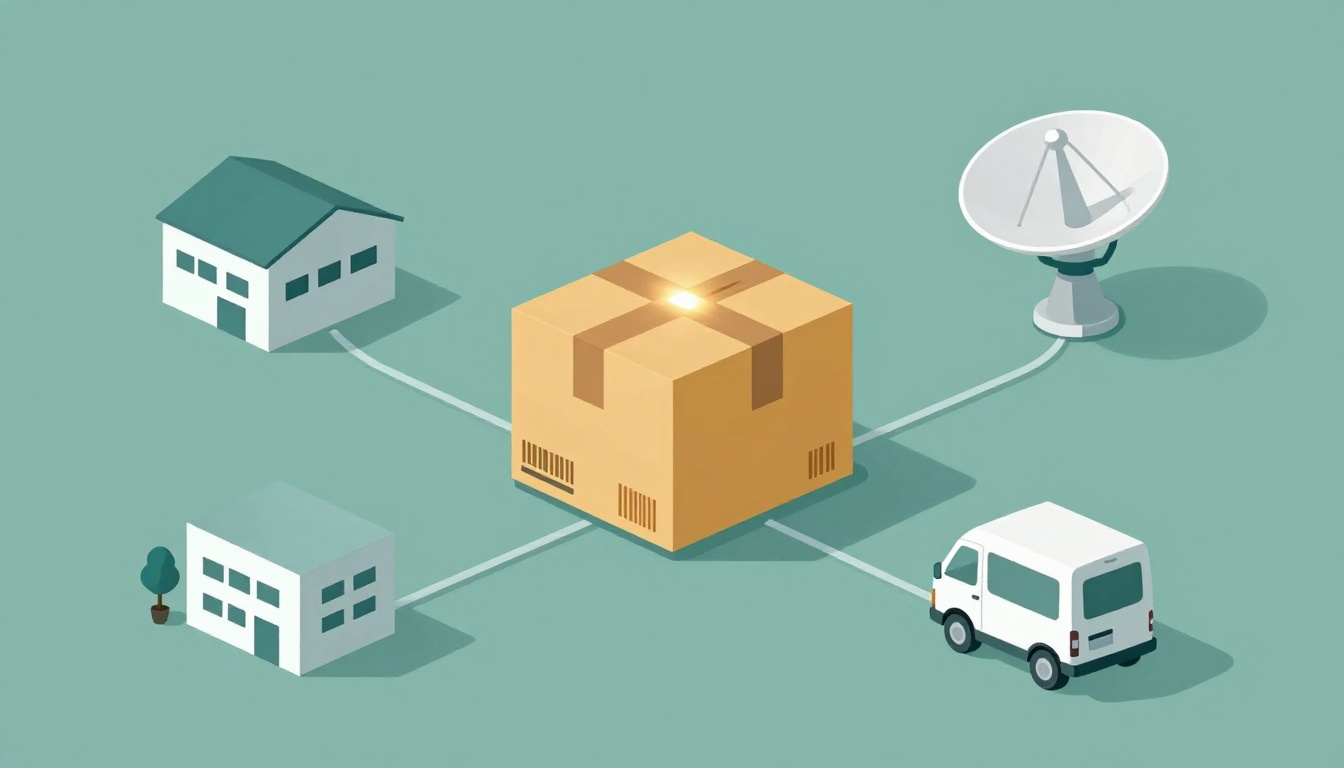
Waiting on a package can feel like watching the clock. You check your phone, refresh the page, and hope the next update means it’s close.
Shipment tracking matters because it turns uncertainty into clarity. Instead of guessing, you can see what stage the shipment is in, why delays happen, and when it should arrive.
Behind those friendly updates is a mix of hardware and software working together. In the sections ahead, you’ll learn how modern shipment tracking systems collect location and status data, how they follow your package through hubs and trucks, and how live ETA predictions are built in 2026.
You’ll also see how real-world problems like poor signal indoors and sudden scan gaps get handled. By the end, you’ll know exactly how a shipment gets followed from sender to door, even when your box hops through several hands.
The Tech That Powers Modern Package Tracking
Most tracking systems start with a simple idea: every package needs an identity, a timestamp, and a record of where it was seen. Then the system connects those dots across warehouses, trucks, and last-mile delivery.
In practice, carriers and logistics teams combine a few core technologies. Together, they reduce blind spots and make updates more reliable.
- Barcodes and QR codes: quick identification at the first scan points.
- RFID tags: faster reads for bulk movement (often without line-of-sight).
- GPS: live vehicle location during transit.
- IoT shipment sensors: condition checks like temperature, humidity, or shock.
- Blockchain: shared, tamper-resistant records for high-stakes steps.
Think of it like a relay race. A barcode is the baton label you can see. RFID is the scanner that can read multiple runners at once. GPS is the referee tracking where the race car is on the route. IoT is the watch for heat, vibration, and rough handling.
Then software ties everything into one tracking view for customers. That’s why you see “In transit,” “Arrived at hub,” and an ETA that changes as routes and conditions update.
Barcodes and QR Codes: The Starting Point
Barcodes and QR codes are the entry ticket for most shipments. When a sender creates the label, the label includes a unique tracking number tied to the package order.
At pickup, workers scan the code. The system logs details like the tracking ID, scan time, and often the shipment’s basic info (for example, weight class and destination ZIP).
QR codes go a step further. Many carriers or shippers encode extra data that’s easy to access using a phone camera. That can help with faster exception handling at warehouses and smoother customer self-service.
Even if your package uses RFID later, a barcode scan still acts like a backbone record early on. Without that first scan, tracking can feel stalled.
Also, barcode systems are widely compatible. You don’t need special readers for every step. In a busy sorting area, they help staff move faster because handheld scanners and conveyor scanners already exist.
For most everyday deliveries, this is where you get your first “real” tracking event. It’s the moment the shipment becomes visible to the tracking system, not just to the seller.
RFID and IoT: Smart Tags for Real-Time Watch
RFID tracking uses radio waves to identify items. Instead of needing direct line-of-sight, RFID tags can get read as items pass through a gate or stay within range.
That’s why RFID often shines for bulk scanning in warehouses and on trucks. A tag might cost roughly 8 cents to 50 cents each for many commercial setups, and ranges like up to about 40 feet are common claims depending on tag type and reader power.
Now pair that with IoT shipment sensors. These sensors can watch conditions that people can’t see from a tracking page. For example, cold chain shipments may track temperature. Sensitive goods may track shock and tilt. Some systems also track location using short-range radios until GPS picks up again.
IoT shipment sensors can run from about $5 to $150 per unit in many market tiers, especially when you choose single-use or lower-cost sensor models. In some plans, you can reuse devices for higher-value assets (then you manage batteries and maintenance differently).
Some networks use Bluetooth Low Energy (BLE). Others use long-range low-power options like LoRa. The goal stays the same, sensors report back when conditions change, and the tracking system triggers alerts.
If your shipment includes these sensors, you may see notes like “temperature out of range” or “impact detected.” That’s not just a marketing feature. It supports claims, QA checks, and faster fixes when something goes wrong.
You can see how RFID is used in tracking and inventory workflows in more detail here: RFID technology for tracking.
GPS and Blockchain: Location and Security
GPS tracking is how the system keeps tabs during transit. In most cases, a vehicle carries a GPS receiver. The system then publishes updates based on satellite signals and cellular networks.
So, rather than guessing where the truck is, the app gets its location from real coordinates. As routes change, the ETA updates too. That matters most on days with weather shifts, traffic surges, or reroutes around construction.
Still, GPS can struggle indoors. In warehouses, parking structures, or remote areas, the signal can weaken. That’s where hybrid approaches help. Many operations use short-range tech (like BLE) indoors and switch back to GPS when the truck exits.
Now add blockchain for certain flows, especially when many parties need trust. The idea is simple: share step records in a way that’s hard to alter after the fact. That can help reduce fraud and make audits easier when multiple vendors handle the same cargo.
If you’re curious about the “why” behind blockchain in supply chains, see this overview from Deloitte: blockchain for supply chain transparency.
Blockchain doesn’t replace tracking sensors. Instead, it helps protect the record of what happened and when, especially when value and risk are high.
Step by Step: Your Package’s Journey Under the Radar
Your tracking number works like a thread. Each time your shipment gets scanned, loaded, or confirmed, the system records another bead on the string.
Under the hood, it’s not one magic event. It’s a chain of updates across different networks and teams. That’s why tracking can show different statuses throughout the day, even if you feel like the package is “still moving.”
Here’s the typical journey for many parcel and freight shipments.
- Label and first scan at pickup
- Load into vehicle with scans (and a GPS start)
- In transit, plus IoT condition checks (if included)
- Warehouse handling with bulk reads and sorting
- Final approach with ETA alerts and “out for delivery”
- Proof of delivery at the door
- Customer app view that pulls it all together
If you’ve ever stared at a status like “Arrived at hub” and wondered what it really means, you’re not alone. Hub scans often look vague because hubs cover many facilities and workflows. A plain-language explainer can help here: what “Arrived at Hub” means.
The exact flow depends on the carrier (UPS, FedEx, DHL, and others). But the structure stays familiar: identify, move, confirm, and notify.
From Pickup to First Truck Ride
First comes the label. The sender prints the code and attaches it to the package. Then the system links that tracking ID to the order.
At pickup, workers scan the barcode or QR code. That scan creates the first timestamp in the tracking record.
Next, the package goes through a check-in point. Sometimes that’s a handheld scan. Sometimes it’s a line scanner at a dock. Either way, the system tries to log that the item entered the network.
Once the truck is ready, loading teams scan again. Some operations scan boxes as they load, others scan pallets or containers and connect them to item ranges. The system aims to prove the package is now on a specific vehicle.
If GPS is active, the truck location starts updating. Then the tracking system can say “in transit,” because it has both an identity link (the label) and a movement link (the vehicle location).
Meanwhile, if RFID is involved, the warehouse might read many tags quickly during staging. That reduces the time between “picked up” and “processed,” which can reduce the gap you sometimes see in app updates.
Through Hubs and On the Road
As your box hops through hubs, the process becomes more about sorting than individual handling. At each major facility, items get grouped by destination area.
Warehouse sorting often uses bulk scanning. RFID can speed that up. Even without RFID, conveyor scanners and handheld devices can record batch movement with less delay.
Then comes transit. GPS updates show where the vehicle is. Route checks compare progress against expected timing.
This is where ETA prediction really starts to matter. The system looks at past performance for similar lanes. It also considers things like traffic patterns and stop density. When that changes, the ETA can shift.
If you’ve seen “In Transit to Next Facility” or other status names that feel confusing, it helps to know what they usually mean. One carrier-status guide breaks down common messages across USPS, UPS, and FedEx: UPS, USPS, and FedEx statuses.
Sometimes tracking updates lag. That can happen when a facility skips a scan event due to workload. Good systems reduce that by using more scanners, better data sync, and fallback methods like container-level tracking.
Last Stretch to Your Door
Near the end, tracking shifts from “where is it?” to “when will it arrive?” and “who will deliver it?”
Out-for-delivery alerts come after the shipment enters the final delivery loop. The system checks the driver route plan and the expected travel time from the local station.
If the delivery area has strong GPS coverage, you’ll see the package move in smaller chunks. Then you get more frequent updates.
At the final stop, proof of delivery usually happens through a handheld device. The driver scans the label again, then records delivery confirmation. That may include a signature, a photo, or a note about where it was left.
After that, the customer app updates. Now the tracking page can show “delivered,” and it may list the time and location.
So when your phone finally shows “Delivered,” it’s not guessing. It’s the system stitching together the last scan and the delivery confirmation record.
Live Updates and ETA Predictions That Wow
Live tracking doesn’t just show location. It also predicts timing. That’s why your ETA might move by 10 minutes, then update again after a new scan.
Under the hood, most carriers and logistics teams use cloud dashboards to pull in events from many sources. Those events include scans, vehicle location, and sometimes sensor alerts. Then the system refreshes the “current state” view.
Transportation management systems (TMS) often sit behind the scenes for business customers. They track KPIs like delivery performance and scan accuracy, then feed those patterns into forecasting.
In 2026, more teams use AI to handle the messy parts. Instead of treating each shipment like a simple math problem, AI can factor in historical delays for the same route and service level. It can also adjust for weather changes and known bottlenecks.
For you as a customer, that shows up as fewer “mystery delays.” If a truck slows down near a hub, the system can update the ETA as more data comes in.
Also, many apps send push notifications for major events. Instead of waiting for you to refresh, you might get alerts when your package is delayed or when it switches to “out for delivery.”
The biggest benefit is stress reduction. Less time calling support. Fewer questions like “Is it lost?” when the tracking data already shows what’s happening.
Real Challenges and Fixes in Shipment Tracking
Tracking sounds simple, but real shipping isn’t clean. Signals fail. Scans get missed. Weather changes the plan. People worry most when the app goes quiet.
Here are the common problems and how systems handle them.
Indoor GPS weakness
GPS often struggles in buildings, basements, and remote pockets. When that happens, some teams use hybrid tracking (short-range tech indoors, GPS outside). For higher-value freight, some use specialized trackers to keep the location chain alive.
If you want an example of how disposable GPS devices are used for real-time visibility, this guide is a helpful read: disposable GPS trackers for freight.
IoT cost pressure
IoT sensors can be expensive for low-value items. So companies use them only where the risk justifies the spend. In other words, they might apply IoT to medical, food, or high-theft lanes, not every online order.
Data overload
More sensors and more scans mean more data. Without good sorting, tracking would become confusing. That’s why modern tracking platforms use rules and AI to label the “most important” updates for the customer view.
Theft and tampering risks
Thieves target blind spots. So systems try to reduce unattended time and add tamper signals when sensors support it. When records must hold up under dispute, blockchain-style audit trails can help prove what happened during key handoffs.
A good tracking system also handles exceptions well. It translates technical events into human status messages. That’s why you might see “moving to next facility” instead of raw GPS ping details.
What’s Coming Next for Tracking Your Shipments
Tracking is moving toward more visibility with less friction. In late 2026, expect bigger changes in three areas: smarter labels, more automation, and tighter condition or carbon reporting.
Cheaper tracking labels
More shipments will use low-cost GPS labels and RFID-friendly designs. The aim is simple: make it affordable to track more items with better granularity.
Some newer approaches treat location as a temporary service. That can mean short-burst GPS tracking for high-risk legs, then cheaper default tracking for the rest.
Full AI automation across the flow
AI is already helping with routing tweaks and disruption forecasts. In 2026, more companies aim to automate what used to be manual support work. That includes flagging exceptions, correcting event gaps, and keeping ETAs accurate without constant human input.
Hybrid tech for total coverage
Expect a lot more “mix and match” systems. BLE indoors, GPS outdoors, RFID in warehouses, and IoT sensors when the goods need extra protection. When those sources agree, the tracking view becomes smoother.
More emphasis on carbon tracking
Eco reporting is getting traction. Instead of only tracking “where,” some shippers want to track “how” too, like emissions tied to route choices. Not every parcel app will show it, but more B2B logistics platforms will.
In the end, the goal stays the same: fewer losses, fewer surprise delays, and faster door delivery. The next wave is less about flash, more about better facts arriving at the right time.
Conclusion
Your shipment doesn’t “update itself.” It builds progress from scans, vehicle location, and (sometimes) sensor data. That tech stack is why tracking can show real movement instead of vague guesses.
From label scans to hub sorting, each step adds proof. Then live dashboards and ETA prediction turn that proof into alerts you can actually use.
The big takeaway is the combo. RFID, GPS, and sensors, plus strong software records, keep your package in view through the whole journey.
Next time you’re waiting on an update, check your tracking app with this in mind. Which status appears, and what does it usually mean in the workflow?